


AUS

Choose your country

AustraliaGlobal website

Single-location clinics

Help every patient feel known across your team.

For cosmetic, aesthetic and laser clinics where colleagues share patient care. What happens behind the treatment-room door needs to reach the next practitioner. DappleOS connects clinical notes, assessments and the live treatment plan in one system, so your team can continue the care and personal relationship while supporting your clinic's compliance workflows.
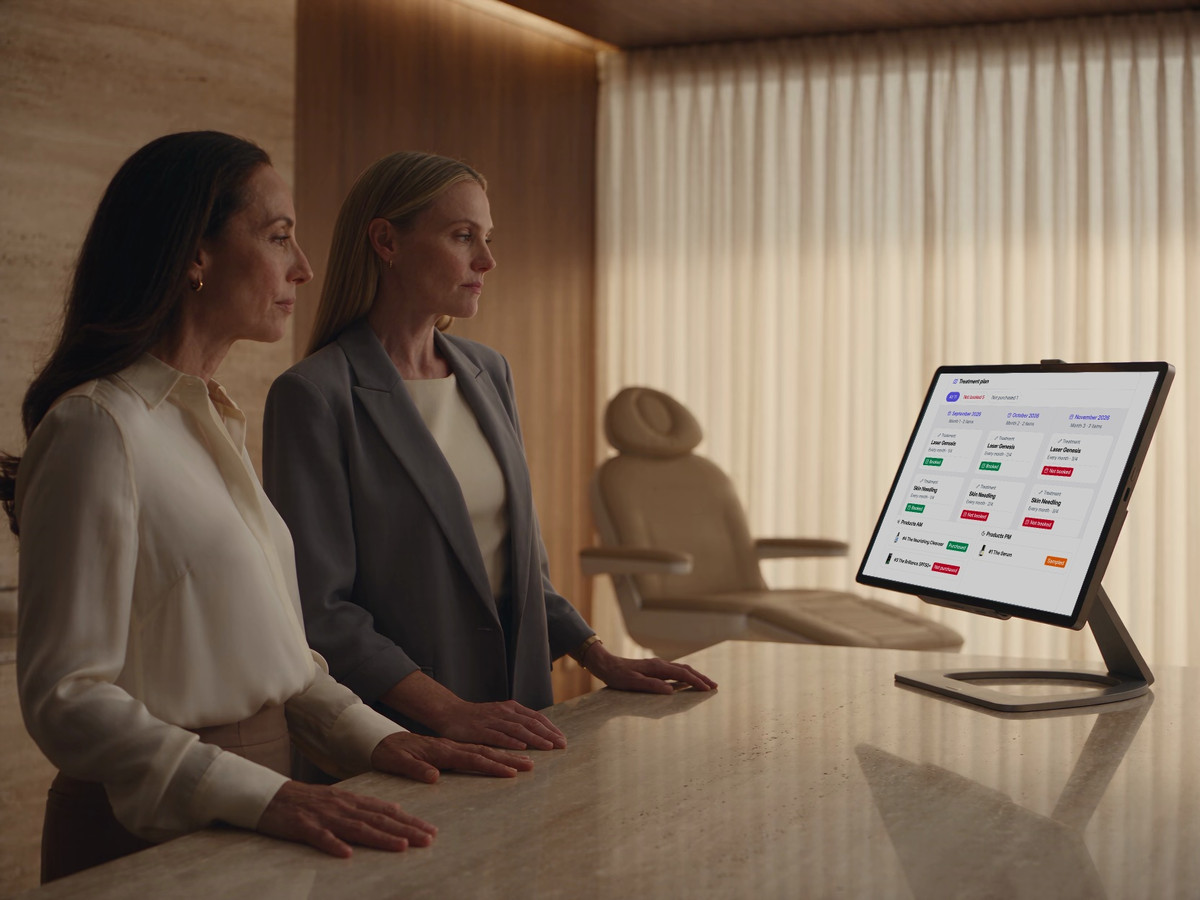
Treatment and skincare plan showing booked and unbooked next steps.

A shared treatment and skincare plan keeps agreed next steps visible when another practitioner sees the patient.

Built around your day

The patient relationship belongs to your clinic.

When a patient sees someone new, the conversation should continue. Keep what was discussed, advised, performed and planned available to authorised colleagues, alongside appropriate personal context. Shared care also needs clear records and responsibilities for consent, prescribing and medicine use where relevant.

Explore compliance support
Two clinic colleagues review a DappleOS treatment and skincare plan together.

One system. Fewer separate tools.

Separate booking, marketing, consent, photo and scripting tools leave colleagues chasing information and copying patient details between systems. DappleOS brings online booking, marketing campaigns, digital consent, clinical photos and injectable scripting into one system, alongside notes and the live plan. Your team can work from connected patient context and hand over the next action with less back-and-forth.

Compliance support

Keep your team accountable for each clinical step.

The problem
When several practitioners share care, consent, clinical records and medicine records need clear ownership. For injectable services, the team also needs to coordinate with authorised prescribers and review recorded medicine use.
How DappleOS helps

Digital drug book

Review recorded Schedule 4 medication movements by product, batch, expiry and location. Where note-based stock updates are enabled, saved treatment use links the movement to the patient and person who recorded it. Daily balance views support reconciliation where enabled.

Explore the digital drug book

Injectable scripting

Request an injectable script from the clinical note, with patient history, treatment details and consent in context. Your clinic’s configured prescribers review the request and record their decision. Issued scripts retain signature and validity details.

Explore injectable scripting

Consent and clinical records

See which configured forms still need completion, then review captured answers and signatures alongside the clinical note. Keep the record of consent, treatment and follow-up available for the next authorised colleague.

Explore forms and consent
What this means for your clinic
Give authorised colleagues records they can review and clear responsibilities across the consultation and follow-up, while treating practitioners and prescribers retain their clinical decisions and obligations.

A shared approach

Carry your consultation approach across the team.

The problem
Your consultation approach can stay in your head, leaving colleagues to work out how concerns, findings and recommendations fit together.
How DappleOS helps
Assessments give the team a shared way to record patient priorities and clinical findings separately. Practitioners can review earlier assessments, consider configured suggestions and deliberately add suitable treatments, reviews and skincare to the live plan.
What this means for your clinic
You can carry a clear consultation process across the team while each practitioner retains responsibility for individual clinical decisions.

Patient priorities and clinical findings inform recommendations. The practitioner decides what is appropriate to add.

The next consultation

A different clinician should not mean starting again.

The problem
A returning patient can feel they are starting again when their clinical history and personal context stay with the previous practitioner.
How DappleOS helps
Before the visit, an authorised colleague can review earlier clinical notes, assessments and the live plan, including appropriate personal context recorded during the consultation. They can understand earlier decisions and confirm what has changed with the patient.
What this means for your clinic
Your team can continue both care and conversation, helping the patient feel known across the clinic when their practitioner changes.

Save the assessment and consultation discussion with the clinical note, so that context is available at the next visit.

Beyond the treatment room

Make the plan useful after the patient leaves.

The problem
Good recommendations can lose momentum when the patient leaves, the next visit remains unbooked and reception is unsure what to arrange.
How DappleOS helps
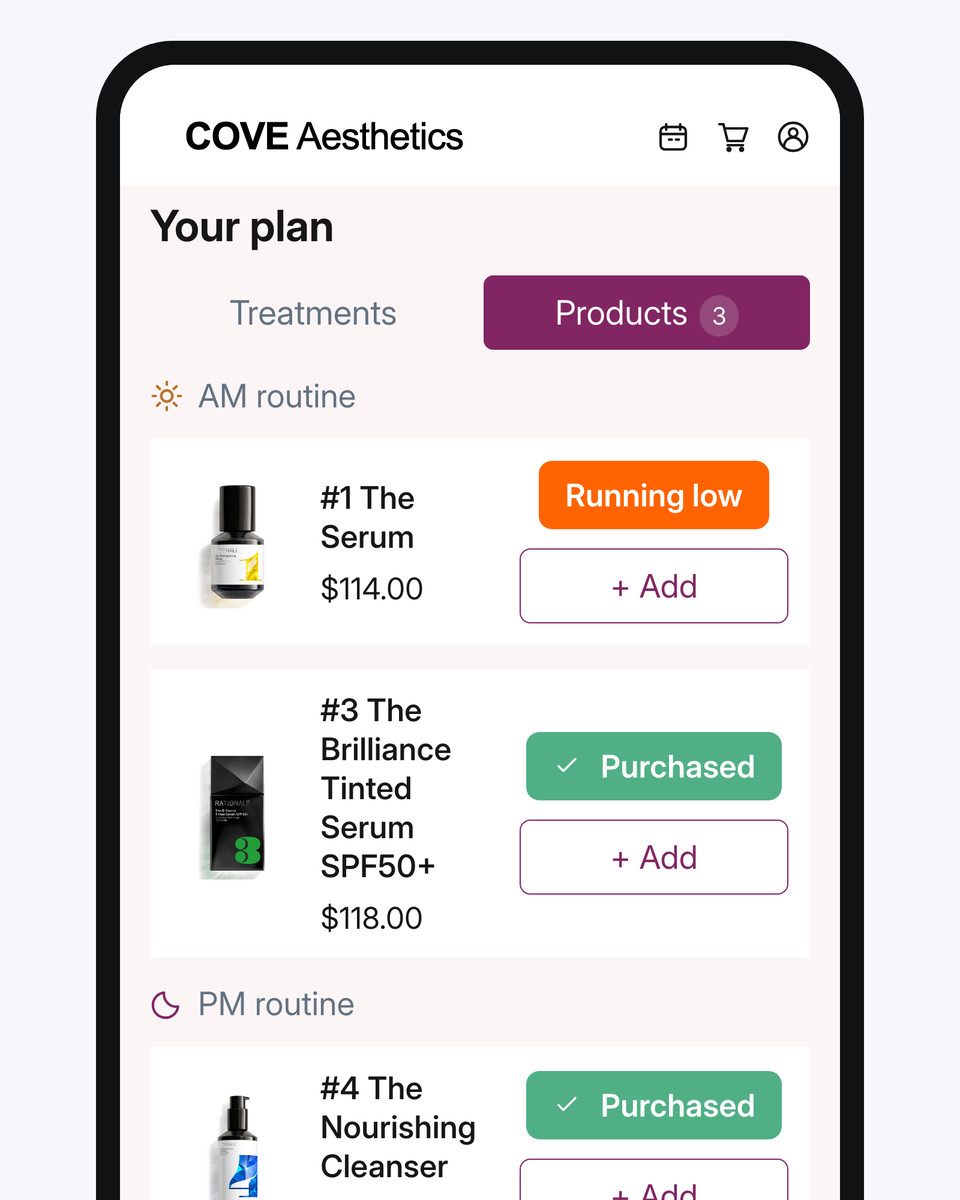
The live plan shows treatment, review and skincare next steps and booking status. Patients revisit it in your branded app; eligible items lead into booking under your availability and booking rules. Configured journeys can check booking status and create patient-linked follow-up tasks.
What this means for your clinic
Patients can find their agreed next step, and reception has a clear request to act on between visits.
The clinic-branded patient app displaying the patient’s treatment and skincare plan.

The clinic's branded patient app carries the plan into the patient's day. A planned treatment remains distinct from a confirmed booking.

Management with context

See where your team needs support.

The problem
A revenue total by practitioner tells you little about how the consultation approach is being used or where support could help.
How DappleOS helps
The Assessments & Recommendations report shows recorded assessment and recommendation activity by clinician. Compare defined measures over the same period, distinguish recommendation opportunities from plan additions, and review patient needs, service availability and recording habits with the team.
What this means for your clinic
You have a concrete starting point for coaching conversations and support decisions, grounded in recorded activity and the practitioner's context.

Recommendation activity can start a useful team conversation. Adding an item to a plan does not mean it was booked or delivered.

A team that can act

Give the manager and reception clear ownership.

The problem
When follow-up depends on verbal reminders, unfinished jobs return to the owner and reception has to chase what happens next.
How DappleOS helps
Patient-linked tasks assign follow-up to a person or team, with a status you can review. For the wider operation, permissioned purchasing keeps approval with authorised colleagues, while receipts show what was ordered, what arrived and what remains outstanding.
What this means for your clinic
Your manager and reception can see the work they own, while you can review progress without reconstructing each handover.

Give a configured follow-up task a clear owner, purpose and due date. A reception task remains a next action, not a confirmed booking.

Trust and compliance

Clear context. Appropriate control.

Keep responsibility with the people who know your patients and your business.

Feature availability depends on your plan, enabled features and access permissions.

  • Hosted in Australia
  • Encrypted storage
Explore our Trust Centre
Practitioners keep their judgement
Previous findings and configured suggestions inform the consultation. The practitioner reviews the patient's circumstances and decides what belongs in the plan.
Give colleagues appropriate access
Set permissions for the work each person needs to do. Reporting can separate viewing and editing from access to underlying detail.
Keep the next step clear
A recommendation, a booking and a completed treatment are different events. Keep those states distinct when reviewing the plan and organising follow-up.

FAQs

Can we bring our separate booking, marketing, consent, photo and scripting tools together?

DappleOS supports online booking, marketing campaigns, digital consent, clinical photos and injectable scripting alongside clinical notes, assessments and treatment planning. This gives authorised colleagues connected patient context and helps reduce copying details or chasing another team member for information. Bring your current workflows to a demo so we can map what your team can bring into DappleOS, the configuration needed and any connections you still need. Prescribing decisions remain with your authorised prescribers.

How does DappleOS support compliance workflows across our team?

Clinical notes and completed consent forms keep the recorded care available to authorised colleagues. For injectable services, the digital drug book shows Schedule 4 medicine transactions, while injectable scripting supports coordination with your authorised prescribers. Where note-based stock updates are enabled, recorded treatment use can link medication movements to the note and patient. Your team remains responsible for accurate records, current consent and appropriate care; the authorised prescriber retains prescribing decisions.

What can another practitioner review before seeing a returning patient?

An authorised colleague can review the patient's earlier clinical notes, recorded assessments and current treatment plan. This gives them the context for previous decisions and agreed next steps. They still confirm the patient's current circumstances and make their own clinical assessment.

How can we preserve the personal relationship when patients see different clinicians?

The relationship should belong to the clinic, even when a patient sees a different practitioner. Keep relevant preferences, concerns and personal context in the clinical record alongside the clinical discussion. An authorised colleague can review that record and the live plan before the visit, helping the patient feel known rather than starting again. The team decides what is appropriate to record and checks what remains current with the patient.

Can we share a consultation approach without making every recommendation identical?

Yes. Assessments keep patient priorities and clinical findings distinct. Configured rules can suggest relevant additions to a treatment plan, but suggestions are not applied automatically. Each practitioner reviews the patient and chooses what is suitable.

How do we follow up on a planned treatment that has not been booked?

Treatment planning distinguishes planned and booked items. Your clinic can configure a follow-up journey that checks booking status, sends the relevant message and creates a patient-linked task for an assigned person or team. A task or message is a next action, not confirmation that an appointment has been booked.

Can we see where practitioners need more support?

The Assessments & Recommendations report shows recorded recommendation opportunities and additions to plans, including clinician breakdowns. Use it to investigate a difference and discuss the context with the practitioner. Activity figures do not measure clinical competence, patient suitability or the quality of care.

What should we consider if we add a second location?

Consider which practitioners and services work at each site, how bookings and stock will be managed, and what each manager needs to see. Our multi-location story covers coordination across sites. A demo can map your patient-record access, location setup and reporting requirements before you decide on the structure.

Ask DappleOS

Ask how DappleOS could fit your clinic, or bring your own workflow question to the team.

Book a demo

Let’s work through your clinic’s day.

Bring a returning-patient scenario where a different practitioner takes over. We'll show how the earlier consultation, notes, assessment and live plan help that colleague prepare and continue the relationship. Then follow the patient's next step through to reception and explore one question about your team's recorded activity.

Book a demo