Clinical workflowsConnect the patient record, prescribing, pathology and Medicare workflows with the team’s next action.Clinical LibraryKeep published SOPs, guidance, policies and protocols accessible to the clinical team.Clinical notes & anatomical markingsCapture written notes, treatment context and quantified anatomical markings in one guided record.AssessmentsRecord concerns, grade clinical findings and review recommendations added to plans.PlanningBuild versioned treatment and skincare roadmaps with clear next steps for the clinic and patient.Before & after photosGuide repeatable captures, compare progression and keep consented patient imagery connected to the clinical record.Informed financial consentPresent treatment estimates, collect the patient’s signature and retain the agreed version.Treatment-specific aftercareConnect treatment-specific instructions with a personal message from the clinical note.PathologyCreate requests, follow outstanding tests and review results before sharing them with the patient.Digital prescribingKeep medication particulars, eRx readiness and the returned electronic result with the patient record.MedicarePrepare private and bulk-bill claims, then follow assessment and payment states with the invoice.AI ambient listeningTurn the consultation into a structured clinical-note draft, ready for practitioner review, editing and saving.30-second patient summaryRead or listen to a concise briefing from recorded notes, medical history, prescriptions and messages, with source descriptions.Patient AgentComing soonAsk about the recorded patient history and plans, and organise a confirmed follow-up task.
Clinical care
A shared clinical approach for your aesthetic clinic team
Support a consistent assessment and planning approach, with clinical records the authorised team can review.

At a glance
Keep assessment, planning and the patient’s next step connected.
Clinical notes & anatomical markings
Capture written notes, treatment context and quantified anatomical markings in one guided record.
Assessments
Record concerns, grade clinical findings and review recommendations added to plans.
Planning
Build versioned treatment and skincare roadmaps with clear next steps for the clinic and patient.
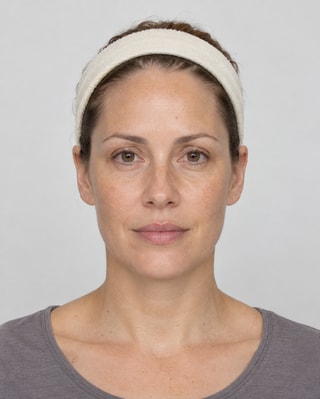
Before & after photos
Guide repeatable captures, compare progression and keep consented patient imagery connected to the clinical record.
All capabilities
DappleOS connects consultation context, treatment notes, anatomical markings, product use, treatment planning and aftercare. Connected workflows can carry recorded treatment information into the clinic’s next step. Review the supported billing, stock and patient workflows in your demo.
In practice
Make the consultation approach repeatable
A shared assessment vocabulary captures patient concerns and clinical findings beside the note. Clinic-configured treatment-plan rules can suggest relevant additions, while the practitioner chooses what is suitable and what enters the patient's plan.
Trust and control
Your clinic stays in control.
Clinical records retain their patient and author context, and completed consent stays linked to the signed version. Clinical judgement and final documentation remain practitioner-led.
Feature availability depends on your plan, enabled features and access permissions.
- Hosted in Australia
- Encrypted storage
- Authorised access
- Map clinical, operational and reporting access to the records and actions each role needs.
- Configured workflows
- Review enabled modules, templates and actions against your clinic's services before the team starts using them.
- People remain responsible
- Clinical judgement, patient communication and the interpretation of recorded activity remain with your team.
Keep the experience connected as your clinic grows.
Use a common clinical structure while preserving patient-specific decisions.
- Solo and small clinics
- Keep assessment, notes and plans together so your approach is easier to maintain and share with a first hire.
- Growing clinics and teams
- Support a shared consultation approach and give the principal recorded context for review and team development.
- Clinic groups and franchises
- Review supported clinician and location activity with clear access and account boundaries, alongside local training and supervision.
FAQs
Can we standardise clinical documentation without taking control away from practitioners?
Yes. Your clinic can configure consistent assessment, note, imagery and treatment-planning workflows while the practitioner remains responsible for clinical judgement, review and the final record. A demo can focus on the services and documentation standards your clinic already uses.
How does clinical care connect with stock, billing and compliance?
Treatment context can carry into product and batch capture, stock movements, invoices, payments and aftercare instead of being re-entered across separate tools. We can show the connected workflow against one of your common treatments during a demo.
What clinical reporting is available?
Where capture, tracking and reporting are enabled, the Assessments & Recommendations report shows recorded activity by clinician, month and location. Assessment presence means recognised content on eligible saved notes; actioned means added to a plan, not booked or delivered. Use the recorded context to support review rather than score clinical quality.
What can patients see in the clinic-branded patient app?
Clinics control the patient-facing experience. Agreed appointments, treatment and skincare plans, forms, messages, results and next steps can be made available through the clinic's own branded app where the relevant capability is enabled.
How does a shared approach help a growing clinic?
Practitioners can use a shared assessment structure and clinic-configured planning rules, then review the recorded patient history. The principal can use supported clinician reporting to understand variation, while clinical judgement and staff development remain human responsibilities.
What should we review before using these workflows across a group?
Start with the group's accounts, brands, locations and access responsibilities. Same-account workflows and independent tenants have different boundaries, so a demo should map the actual structure before assuming records or settings are shared.
Ask DappleOS
Ask how DappleOS clinical care could fit the way your clinic works.