
AUS

Choose your country

AustraliaGlobal website

Cosmetic injectables · NSW changes and Queensland requirements

Scripts, consent and treatment. Connected.

DappleOS helps your cosmetic injectables clinic meet its compliance requirements through connected scripts, consent and medicine records. Check script and consent status before each treatment, then keep treatment details, aftercare and follow-up together.
Clinical note preview. Practitioner markings identify Frontalis and Glabellar areas and update the recorded quantity. Unit billing follows those quantities. Treatment consent and the new patient form are completed. A scanned product's batch, expiry and recorded use stay visible.

Supporting NSW and Queensland clinics

The records you need. Connected to the work you do.

Keep scripts, consents, clinical notes and medicine records connected in DappleOS. See how the features support the work behind NSW’s new framework and Queensland’s existing requirements, before, during and after treatment.

This page provides general information, not legal advice. Your clinic and practitioners remain responsible for meeting their legal and professional obligations.

NSW · From 5 November 2026

NSW

Keep the direction with the treatment.

  • Arrange personal prescriber review and retain the signed direction, with a validity period of no more than six months.
  • Record each administration and provide the required copies to the prescriber and business.
  • Use injectable scripting, clinical notes and the digital drug book to connect the supporting records.

Explore prescribing and records

Queensland · Requirements already in force

QLD

Keep supply and use traceable.

  • Use a permitted supply model: prescriber-held clinic stock or medicine dispensed for an individual patient.
  • Keep prescribing, dispensing, custody and administration with the people authorised for each activity.
  • Use stock control and the digital drug book to follow recorded product details and medicine movements.
Explore supply and stock records

Both states: make consent part of the treatment workflow

Bring procedure and financial consent into the patient record, with image consent where relevant. DappleOS keeps completed forms available alongside the treatment, supporting the national professional guidance as well as your state’s medicines framework.

Ahpra cosmetic guidelines

Before every treatment, check the script and consent.

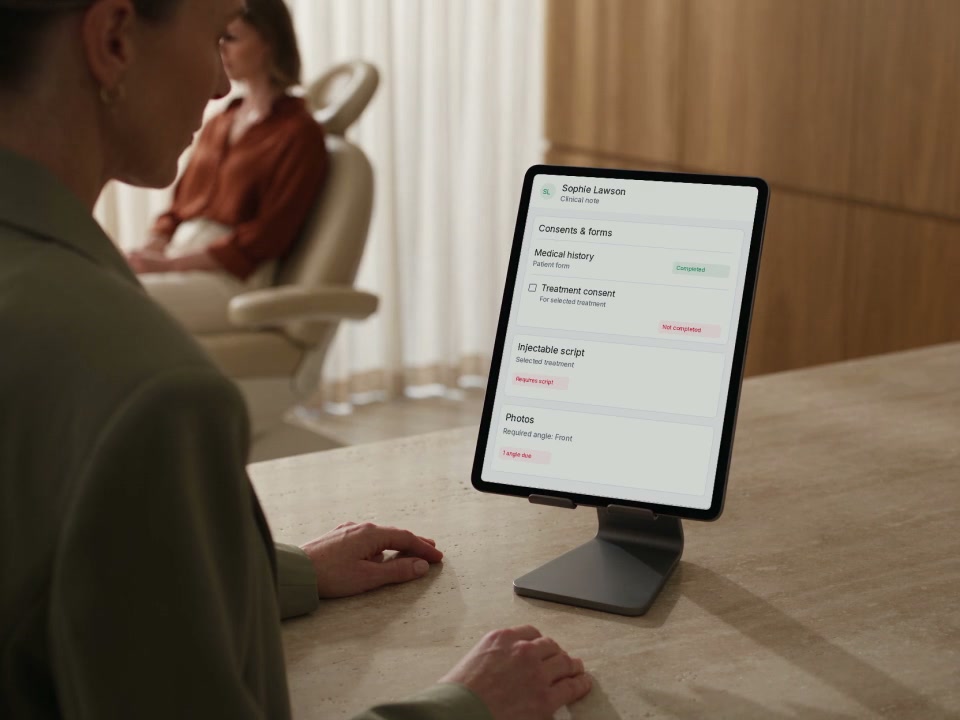
Is a valid script in place for this treatment? Has the patient completed their consent form? DappleOS shows these statuses alongside the clinical note, so you can see what is complete and what still needs attention at each visit.

  • Script status. See whether a valid script covers the selected treatment or whether one is still required.
  • Treatment consent. Check whether consent forms are complete, then display or send any outstanding forms to the patient.
  • Patient forms. Review the required forms and medical history before proceeding.

A completed status records a step in the workflow. Your practitioner still reviews the information, confirms consent and decides whether to proceed.

How DappleOS fits into the day

Support for each step of your compliance workflow.

From the prescriber’s review to consent, treatment and medicine movements, see which features support your team’s work. Explore each workflow below, with product views and links to the tools behind it.

Records to bring together

Prescriber review and direction · Patient consent · Clinical note · Product and batch · Medicine movements

Injectable scripting

Keep the prescriber’s review with the patient record.

What your clinic needs to do
Arrange the prescriber’s review, retain the direction or prescription, check its validity and provide any required copies. The prescriber makes the clinical decision.
How DappleOS helps
Injectable scripting brings the request and patient context to the authorised prescriber. Clinical notes retain the consultation record; issued scripts keep their signature and validity details.
A practitioner reviews patient forms and treatment context on an iPad before a consultation.

Dispensing and supply

Be clear about dispensing and administration.

What your clinic needs to do
Keep the medicine’s supply and administration connected to the authorised people and patient. Distinguish patient-specific dispensed medicine from prescriber-held clinic stock.
How DappleOS helps
Review the issued script, stock details and medicine movements using injectable scripting, stock control and the digital drug book. Confirm the dispensing steps and permissions your clinic needs with our team.
Discuss your dispensing workflow
Check the Queensland supply models

Queensland supply models

Two paths described by Queensland Health. Confirm the requirements for your clinic model.

Patient-specific dispensed medicine

  1. Prescriber reviews the patient
  2. Doctor or pharmacist dispenses and labels
  3. Authorised practitioner administers

Prescriber-held clinic stock

  1. Doctor or nurse practitioner holds lawful custody
  2. Patient consultation and prescription
  3. Authorised practitioner administers

Prescribing, dispensing and administration are distinct steps. A software record does not authorise any of them.

Read the Queensland requirements

Schedule 4 stock

Keep the product details with the treatment.

What your clinic needs to do
Keep the product used traceable from receipt to treatment, with its recorded lot, batch, expiry date and quantity. Your clinic also manages lawful sourcing, physical custody and storage.
How DappleOS helps
Scan a registered product to bring its recorded lot, batch and expiry details into the treatment record. When note-based stock updates are enabled, saving the recorded use creates the connected stock and drug-book movement automatically.
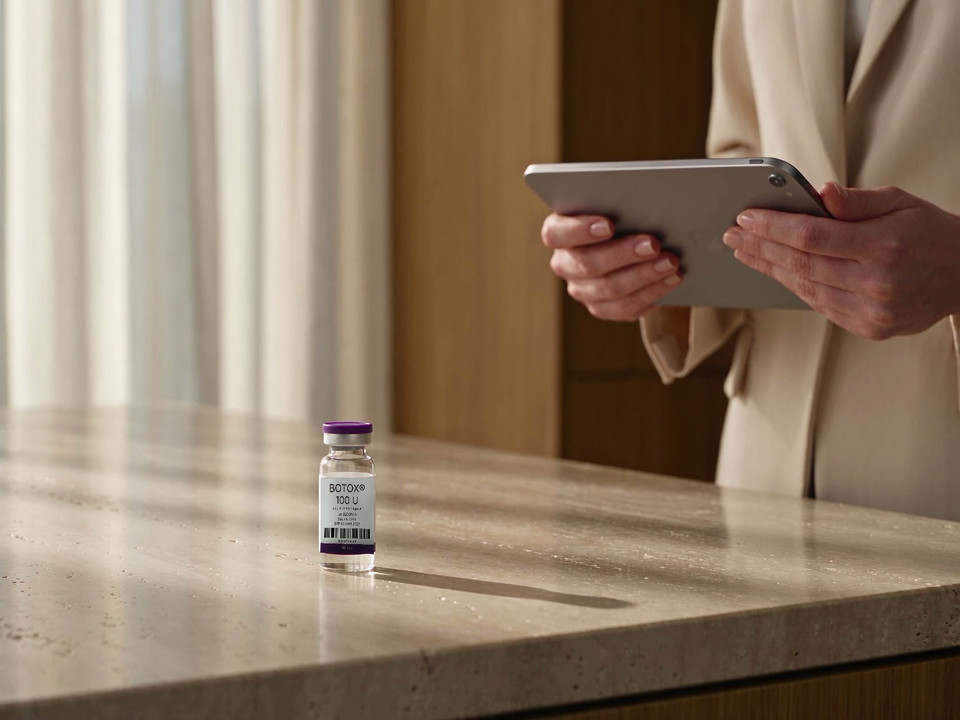
A practitioner uses an iPad beside a treatment vial in a clinic.

Digital drug book

Review the movements behind the balance.

What your clinic needs to do
Trace recorded medicine movements and retrieve the administration details. Confirm who needs copies, how they receive them and the record-retention requirements that apply.
How DappleOS helps
Use the digital drug book to review movements and daily balances. Where note-based stock updates are enabled, saved treatment use links to the patient and the person who recorded it.

Explore the supporting features

Automatic aftercare

Send aftercare and product details to the patient.

DappleOS can automatically send your clinic’s treatment-specific aftercare, together with the recorded product lot, batch and expiry details. Patients can refer back to the guidance and product information from their visit.

Record the product used, save the clinical note and let your configured aftercare workflow handle the follow-up. Include a personal message from the practitioner where appropriate.

Delivery depends on recorded product details, your clinic’s aftercare content, a running workflow and suitable patient contact details.

Clinical Library and incident register

Keep guidance and follow-up connected.

Clinical Library and the incident register are available in DappleOS, subject to your plan and access permissions. Keep your clinic’s approved procedures close to the work, and keep a clear record of incidents and follow-up.

Your clinic’s procedures, available to the team.

Organise your standard operating procedures (SOPs), policies and guidance in Clinical Library. Open a linked published procedure from the treatment note, track acknowledgements for its current version and assign document reviews.

Your clinic writes and approves the content. A read confirmation records acknowledgement; it is not a competency assessment.

Explore Clinical Library

A clear record when something needs follow-up.

Record incidents with the relevant patient and clinical context. Link notes, photos and product details, apply your clinic’s protocol, assign follow-up steps and review open incidents in the register.

Your team directs the response and manages any required external reporting. Exporting a report does not notify a regulator.

Explore the incident register

More on the changes

Read the full NSW and Queensland explainer.

Our article explores the NSW changes, Queensland’s requirements and the connected records behind your clinic’s workflow. Read it alongside the current official guidance linked above.

Read the article

FAQs

Questions to work through with your clinic owner, prescriber and treating team.

Are NSW and Queensland introducing the same changes?

No. NSW’s new framework starts on 5 November 2026. Queensland Health’s guidance explains existing requirements. Check the rules for each location where your clinic operates.

Can the prescriber review a patient by video?

Under NSW’s new framework, the prescriber must personally review the patient, either in person or by video. Queensland permits telehealth consultations within its lawful prescribing and supply models. The prescriber remains responsible for their clinical and professional obligations.

Does prescribing also authorise dispensing or administration?

These are distinct activities with separate requirements. In Queensland’s remote services model, a doctor or nurse practitioner prescribes following a consultation. A doctor or pharmacist dispenses and labels the medicine, and an authorised practitioner administers it according to the dispensing label. Confirm the model and authorisations that apply to your clinic.

Which records should our team be able to retrieve?

Review the direction or prescription, consent, clinical note, administration details, batch details and relevant medicine movements. Check who must receive copies and your state’s record-retention requirements. Access to a record should not be assumed to meet requirements to provide copies.

Does using DappleOS guarantee our clinic is compliant?

No. DappleOS provides tools to support your clinic’s compliance workflows. Your clinic and practitioners remain responsible for their legal and professional obligations. DappleOS remains responsible for its own legal obligations.

Are these features included in every plan?

Feature availability depends on your plan and access permissions. Book a demo to discuss the workflows, access and setup relevant to your clinic.

Have a question about your clinic’s setup? Talk with the DappleOS team

See how DappleOS supports your compliance workflows.

Walk through treatment checks, prescribing, consent, stock, aftercare and incident follow-up with a DappleOS team member. See the relevant product screens and discuss the plan, permissions and setup for your team.

Tools to support your clinic’s compliance workflows

DappleOS provides tools to support your clinic’s compliance workflows. Your clinic and practitioners remain responsible for meeting the legal and professional obligations that apply to their services. Using DappleOS does not guarantee compliance. DappleOS remains responsible for its own legal obligations.

This page is general information, not legal advice. Refer to current legislation and professional guidance, and obtain advice for your clinic. Feature availability depends on your plan and access permissions.